
Choosing a web hosting service is one of the few technical decisions that quietly shapes everything else about your website: how fast it loads, how well it ranks, how it holds up under a traffic spike, and how much it costs you a year from now versus what you signed up for.
Most guides to this topic stop at “compare shared vs. VPS vs. dedicated.” That’s a start, but it skips the parts that actually cause problems later: hidden renewal pricing, compliance requirements you didn’t know applied to you, and hosting decisions that quietly hurt your SEO. This guide covers all of it and, since we build and host WordPress sites for a living, includes what we actually see go wrong when businesses in construction, real estate, e-commerce, health & wellness, and education pick the wrong tier.
Exploring this guide is a great way to make sure you make the best choice for the growth of your digital business.
Read Also: Hostinger Web Hosting: A Comprehensive Review

Start With Your Website’s Actual Needs
Before comparing providers, get specific about what your site actually has to do:
- Traffic volume. A few hundred visitors a month behaves very differently than a few thousand a day. Under-provisioned hosting is the single most common cause of slow-loading sites we’re brought in to fix.
- Content type. A brochure site with a handful of pages needs almost nothing. A product catalog, a booking system, or a media-heavy blog needs meaningfully more storage, bandwidth, and processing power.
- Transactions. If the site takes payments, books appointments, or stores customer records, hosting becomes a security decision, not just a performance one.
- CMS and integrations. If you’re on WordPress (as most of our clients are), confirm the host supports the PHP versions, one-click installs, and staging environments you’ll actually use — and check compatibility with the CRMs, payment gateways, or booking tools you plan to integrate.
Once you know these four things, most hosting types eliminate themselves automatically.
The Main Types of Web Hosting

Image Source: FreePik
| Type | Best For | Watch Out For |
| Shared Hosting | New, low-traffic sites on a tight budget | Performance drops when other sites on the server spike |
| VPS Hosting | Sites that have outgrown shared but don’t need a dedicated server | Some plans still require you to manage server settings yourself |
| Cloud Hosting | Sites with unpredictable or seasonal traffic | Costs can scale up quickly if usage isn’t monitored |
| Dedicated Hosting | High-traffic, high-resource sites (large e-commerce, SaaS) | Highest cost; typically needs technical staff to manage |
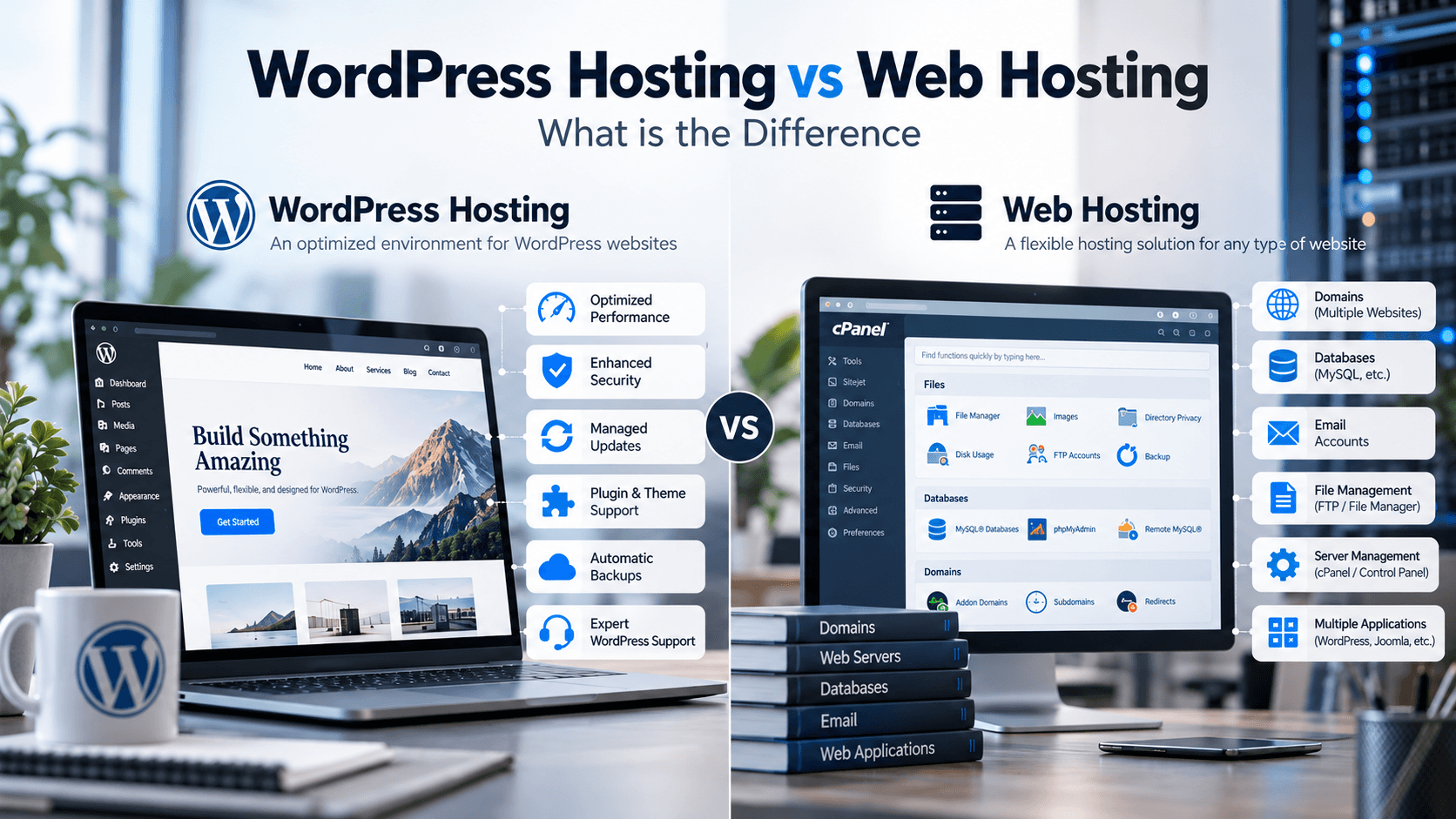
| Managed WordPress Hosting | WordPress sites that want performance and security handled for them | More expensive per-site than unmanaged shared plans |
For most of the small-to-mid-size businesses we work with, the real decision isn’t “which of these five”; it’s “shared is no longer enough, so is it VPS, cloud, or managed WordPress.” Managed WordPress hosting usually wins that comparison for anyone running WordPress, because it folds server management, caching, and security into one service instead of three.
Read Also: Web Hosting vs Domain Name: Definitions & Differences
How Hosting Affects Your SEO
This is the section most hosting guides skip, and it matters more than people assume.
- Server response time (TTFB) is part of Google’s Core Web Vitals. A slow host puts a ceiling on your page speed no matter how well the site itself is optimized.
- Uptime directly affects crawling. A site that’s frequently down risks being crawled less often and, in bad cases, temporarily de-indexed.
- Server location affects load time for your actual audience — a host with data centers near your customers will consistently outperform one that isn’t, regardless of specs on paper.
- SSL and HTTPS are effectively mandatory; hosts that don’t include free SSL are a red flag in 2026, not a value-add.
If your SEO and marketing strategy depends on organic traffic, hosting isn’t a background decision — it’s part of your technical SEO stack.
Security and Compliance Requirements
If your site collects any customer data, hosting becomes a compliance question, not just a technical one:
- PCI DSS — required if you process payments on-site (relevant to e-commerce clients).
- HIPAA — applies if you’re collecting or transmitting health-related information (relevant to health & wellness clients).
- GDPR — applies if you have EU visitors or customers, regardless of where your business is based.
- General security features to confirm: free SSL, a web application firewall, malware scanning, and how often (and where) backups are stored.
Ask providers directly which of these they support — “we’re secure” without naming a certification or standard isn’t an answer.
Hidden Costs and Contract Terms to Check
The advertised price is rarely the price you’ll pay in year two. Before signing up, check:
- Renewal pricing. Many hosts discount the first term heavily and raise it 100%+ on renewal. Ask for the renewal rate up front.
- Add-on fees. Backups, SSL, and staging environments are sometimes bundled, sometimes billed separately — confirm which.
- Cancellation and auto-renewal terms. Some hosts require advance notice to cancel or auto-renew at full price without a reminder.
- Overage penalties. Budget plans sometimes throttle or suspend sites that exceed resource limits rather than prompting an upgrade.
Migration: What to Ask Before You Switch
If you’re moving an existing site rather than launching a new one, get answers to these before you commit:
- Is migration fully managed, or will you need to handle parts of it yourself?
- Do email accounts and DNS settings transfer automatically?
- What’s the expected downtime during cutover, if any?
- Who tests the site post-migration — you, or the hosting provider?
A host that can’t answer these clearly is one you’ll be troubleshooting alone at 2 a.m. during the actual move.
Matching Hosting to Your Industry
| Industry | What Usually Matters Most | Hosting Implication |
| Construction & Trades | Lead-gen forms, local SEO, image-heavy portfolios | Managed WordPress hosting with strong image optimization and CDN |
| Real Estate | High page counts (listings), frequent updates, IDX integrations | Managed hosting with good database performance and integration support |
| E-commerce | Payment processing, product catalogs, traffic spikes around sales | PCI-compliant managed hosting or cloud hosting for elasticity |
| Health & Wellness | Booking systems, potentially health data | HIPAA-aware hosting with strong backup and access controls |
| Education & Consulting | Content libraries, forms, moderate but steady traffic | Managed WordPress hosting; VPS if enrollment volume is high |
When to Upgrade Your Hosting Plan

Move up a tier when you notice any of these:
- Traffic is growing steadily, not just spiking occasionally
- Page load times are increasing even after front-end optimization
- You’re getting downtime alerts more than once a quarter
- Your current host keeps suggesting an upgrade every time you raise a performance issue — a sign the plan, not the infrastructure, is the actual bottleneck
Future-Proofing Your Choice
A host that’s right today should still make sense in two years. Look for:
- Upgrade paths that don’t require a full migration (shared → VPS → dedicated on the same account)
- Support for modern performance tooling — object caching, CDN integration, HTTP/3
- A track record of infrastructure updates rather than years-old server stacks
FAQ
Shared, VPS, Cloud, Dedicated, and Managed WordPress hosting. Most growing WordPress sites end up choosing between VPS and managed WordPress hosting once they outgrow shared.
Check your server response time (TTFB) and Core Web Vitals scores in Google Search Console. Consistently slow TTFB on cached pages is a strong signal your hosting tier is the bottleneck, not your site’s code.
Only if you process payments directly on your site (PCI) or handle health-related personal data (HIPAA). If either applies, confirm compliance in writing before signing up — don’t rely on general “secure hosting” claims.
For most businesses running WordPress, yes — it replaces separate spend on security plugins, caching plugins, and dev time spent on server maintenance with one service.
Talk to us — we assess traffic, integrations, and compliance needs as part of every hosting and site build we scope, so you’re not guessing.
Need help choosing or migrating to the right hosting for your site? See how Spinah’s Hosting & VIP Services work, or get in touch to talk through your specific setup.