
If you own a domain such as yourname.com or yourbusiness.com, you can create a professional email address such as hello@yourname.com instead of using a free Gmail, Yahoo or Outlook address.
To do that, we compare the best email hosting services for personal domains based on pricing, storage, security, custom-domain support, ease of use and features.
The best email hosting provider for a personal domain depends on what you need. Some services are built around affordability, while others focus on privacy, productivity tools, storage or a familiar inbox experience.
For most people, Google Workspace is the best overall choice, especially if you already use Gmail, Google Drive, Google Calendar and Google Docs. Zoho Mail is one of the best budget options, while Fastmail is a strong choice if you want a simple, private email service without paying for a large productivity suite. Proton Mail is a better fit for people who place a high priority on privacy and encryption.
Best Email Hosting for Personal Domains at a Glance
| Email hosting provider | Best for | Starting price | Storage | Custom domain |
|---|---|---|---|---|
| Google Workspace | Best overall | $7/user/month with annual commitment | 30 GB | Yes |
| Zoho Mail | Best budget option | From $1/user/month annually | 5 GB | Yes |
| Fastmail | Best simple private email | From $3/user/month for Business Basic | 6 GB | Yes on business plans |
| Microsoft 365 | Best for Microsoft users | Varies by plan | 50 GB mailbox on Business Basic | Yes |
| Proton Mail | Best for privacy | Varies by plan | 15 GB on Mail Essentials | Yes |
| Namecheap Private Email | Affordable standalone email | From around $1/month | 5 GB on entry plan | Yes |
| Hostinger Email | Budget email with web hosting | Varies by plan | Varies | Yes |
| iCloud+ | Best for Apple users | From $0.99/month for iCloud+ | Shared iCloud storage | Yes |
| Rackspace Email | Business email without a productivity suite | Varies | 25 GB on common plans | Yes |
| Tuta | Privacy-focused email | Varies | Varies | Yes on supported paid plans |
Prices and plan features change regularly, so check the provider’s current pricing before purchasing. For example, Google Workspace currently lists Business Starter at $7 per user per month with an annual commitment and 30 GB of pooled storage per user.
Read Also: Web Hosting vs Domain Name: Definitions & Differences
What Is Email Hosting for a Personal Domain?
Email hosting is a service that allows you to send and receive email using your own domain.
For example, instead of:
yourname@gmail.comyou can have:
yourname@yourdomain.comThe domain and email hosting are separate services.
You can purchase your domain from a domain registrar and host your website with one company while hosting your email with another.
For example:
Domain registrar
      |
      | yourdomain.com
      |
      +------ Website hosting
      |
      +------ Email hosting
You do not have to host your website and email with the same company.
Why Use a Custom Domain Email Address?
A custom domain email address gives you more control over your online identity.
Instead of communicating from a generic address such as:
yourname@gmail.comyou can use:
hello@yourdomain.comor:
contact@yourdomain.comFor personal use, a custom domain can be useful if you want an email address that is independent of a particular provider.
For freelancers and business owners, it can also make communication look more professional.
Common custom email addresses
You can create addresses such as:
hello@yourdomain.comcontact@yourdomain.cominfo@yourdomain.comsupport@yourdomain.comfirstname@yourdomain.comfirstname.lastname@yourdomain.com
The exact number of addresses you can create depends on your email provider and plan.
1. Google Workspace : Best Overall Email Hosting for a Personal Domain

Google Workspace is one of the easiest choices if you want a custom-domain email address with an interface similar to Gmail.
Its Business Starter plan includes custom business email, Gmail, Google Meet, Google Drive and other Google services. The current annual-plan price is $7 per user per month, with 30 GB of pooled storage per user.
Best for
- People who already use Gmail
- Freelancers
- Small businesses
- Professionals
- People who want email and productivity tools together
What you get
Google Workspace combines email with services such as:
- Gmail
- Google Drive
- Google Calendar
- Google Meet
- Google Docs
- Google Sheets
- Google Slides
- Google Chat
Business Starter currently includes 30 GB of pooled storage per user and supports custom business email.
Pros
- Familiar Gmail interface
- Strong productivity ecosystem
- Custom domain support
- Good mobile applications
- Google Calendar integration
- Google Drive integration
- Google Meet
- Strong administrative controls
Cons
- More expensive than basic email-only services
- You are paying for an entire productivity ecosystem
- May be unnecessary if you only need one simple mailbox
Our verdict
Google Workspace is the best overall choice if you want professional email plus Google’s productivity tools.
If you only want an inbox for your personal domain and do not need Drive, Docs, Meet and the other Workspace applications, a cheaper email-only service may make more sense.
2. Zoho Mail: Best Budget Email Hosting
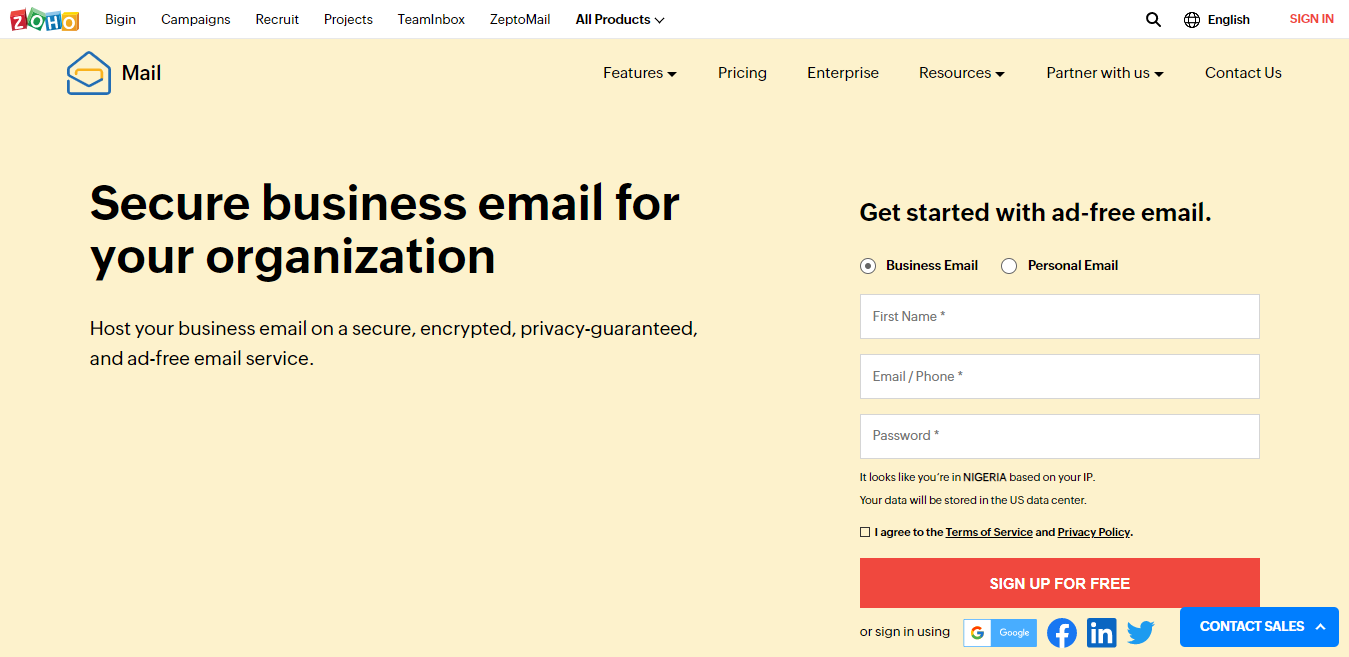
Zoho Mail is one of the strongest alternatives to Google Workspace if affordability is your priority.
Zoho currently offers a free plan for up to five users on one domain, with 5 GB of mail storage per user. However, the free plan does not include IMAP, POP or ActiveSync.
Its paid Mail Lite plans start at $1 per user per month when billed annually, with 5 GB or 10 GB of mail storage depending on the selected plan.
Best for
- Individuals
- Freelancers
- Small businesses
- People looking for inexpensive custom-domain email
- Users who do not need a large productivity suite
Features
Depending on the plan, Zoho Mail provides:
- Custom-domain email
- Webmail
- Mobile apps
- Email forwarding
- Email groups
- Email sharing
- Calendar
- Migration tools
- Multi-factor authentication
- Administrative controls
Pros
- Very affordable
- Custom domain support
- Free plan available in eligible configurations
- Good business features
- Paid plans are inexpensive
- Migration tools are available
Cons
- The free plan has important limitations
- Some advanced features require paid plans
- The interface may feel less familiar than Gmail
Our verdict
Zoho Mail is one of the best choices if you want professional email on your own domain without spending much money.
For someone who only needs one or a few mailboxes, it can provide considerably better value than paying for a full productivity suite.
3. Fastmail: Best for Simple, Private Email
Fastmail is a strong option if you want dedicated email hosting without buying an entire office productivity suite.
Fastmail supports custom domains on its business plans and includes email, calendars, contacts and other email-focused features. Its Business Basic plan provides 6 GB of storage per user, while Standard provides 60 GB and Professional provides 150 GB.
Best for
- Individuals
- Freelancers
- Developers
- Privacy-conscious users
- People who want a clean email experience
- Users who do not need Google or Microsoft productivity suites
Features
Fastmail includes features such as:
- Custom domain email
- Multiple email addresses
- Shared email addresses
- Calendar
- Contacts
- IMAP support on eligible plans
- Mobile apps
- Email aliases
- Masked email
- Migration tools
- Spam protection
Fastmail also supports third-party email applications such as Outlook, iPhone Mail and Thunderbird on its Standard and Professional business plans.
Pros
- Clean interface
- Strong privacy focus
- No advertising
- Custom domains
- Good support
- Strong email management features
- Useful aliases and masked addresses
Cons
- Smaller ecosystem than Google Workspace or Microsoft 365
- Less suitable if you need office applications
- Storage is lower on the entry-level business plan
Our verdict
Fastmail is one of the best options if email itself is your priority.
You are not paying for a large collection of office applications that you may never use.
4. Microsoft 365: Best for Outlook and Microsoft Office Users
Microsoft 365 is a strong choice if you already work with Outlook, Word, Excel, OneDrive and Teams.
It provides professional email through Outlook and combines email with Microsoft’s productivity ecosystem.
Best for
- Microsoft Office users
- Freelancers
- Businesses
- Teams
- Windows users
- People who already use Outlook
Features
Depending on the plan, Microsoft 365 can provide:
- Custom-domain email
- Outlook
- Word
- Excel
- PowerPoint
- OneDrive
- Teams
- Calendar
- Contacts
- Administrative controls
- Security features
Pros
- Excellent Outlook integration
- Large productivity ecosystem
- Strong compatibility with Microsoft applications
- Good option for businesses already using Microsoft products
Cons
- More expensive than basic email-only services
- Some users may find the Microsoft ecosystem more complicated
- You may pay for applications you do not need
Our verdict
Choose Microsoft 365 if your daily work already revolves around Outlook and Microsoft Office.
If you only want a custom email address, Zoho or Fastmail may provide better value.
5. ProtonMail : Best for Privacy
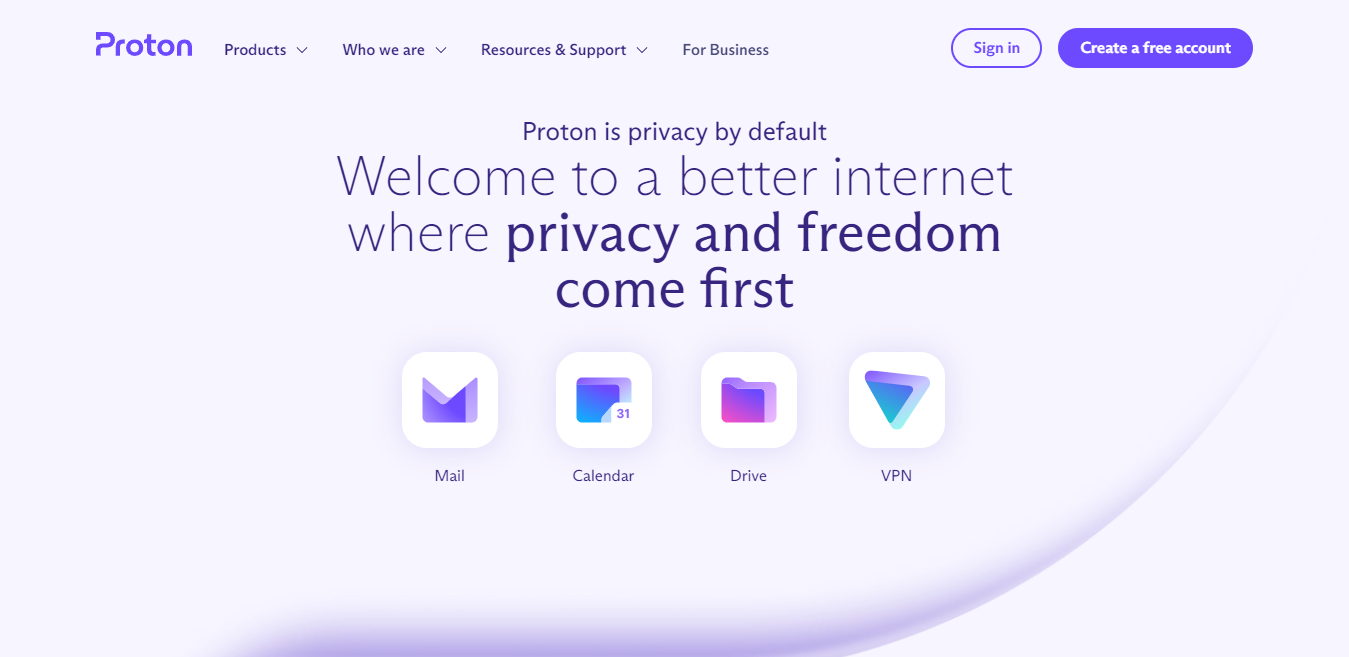
Proton Mail is designed around privacy and security.
Its business plans support custom email domains and include security-focused features. Proton’s current Mail Essentials business plan includes 15 GB of storage per user and support for up to three custom email domains.
Best for
- Privacy-conscious users
- Professionals handling sensitive communication
- Users who want a security-focused provider
- People who do not want an advertising-based email service
Features
Depending on your plan, Proton can provide:
- Custom email domains
- Encrypted email
- Secure calendar
- Password-protected emails
- Catch-all addresses
- Email forwarding
- Migration tools
- Multi-user administration
Pros
- Strong privacy focus
- Encryption features
- Custom-domain support
- Secure ecosystem
- Catch-all support
- Migration tools
Cons
- Can cost more than basic email providers
- Some features require paid plans
- Not designed to replicate the Google Workspace experience
Our verdict
Proton Mail is a strong choice when privacy is more important to you than getting the cheapest mailbox available.
6. Namecheap Private Email: Best for Affordable Standalone Email
Namecheap Private Email is designed specifically for people who want email hosting for their domain without purchasing a complete productivity suite.
Its entry-level plans are positioned as low-cost custom-domain email options, making them particularly useful for individuals, freelancers and small businesses. Current pricing and features should be checked on Namecheap before purchase because the plans change.
Best for
- Domain owners
- Freelancers
- Small businesses
- People who already use Namecheap
- Users who want standalone email
Pros
- Affordable
- Custom domain support
- Simple setup
- Does not require a large productivity subscription
- Suitable for basic professional email
Cons
- Fewer productivity tools than Google Workspace
- Fewer privacy-focused features than Proton
- Less advanced collaboration functionality
Our verdict
Namecheap Private Email makes sense if you want straightforward custom-domain email at a low cost.
7. Hostinger Email : Best for Website Owners

Hostinger offers email hosting alongside its website hosting services.
This can be convenient if you already host your website with Hostinger and want your website and email managed from the same account.
Best for
- Website owners
- WordPress users
- Freelancers
- Small businesses
- People who want website and email under one provider
Pros
- Convenient if your website is already hosted there
- Affordable plans
- Custom domain support
- Easy setup for beginners
Cons
- Email is not its main specialization
- Features vary between plans
- Advanced users may prefer a dedicated email provider
Our verdict
Hostinger is worth considering if you want website hosting and custom email from the same provider.
8. iCloud+ Custom Email Domain: Best for Apple Users
If you are deeply invested in Apple’s ecosystem, iCloud+ can be an attractive option.
Apple allows iCloud+ subscribers to use a custom email domain with iCloud Mail.
This means you can use an address such as:
you@yourdomain.comwhile continuing to use Apple’s Mail applications.
Best for
- iPhone users
- Mac users
- People already paying for iCloud+
- Personal email users
Pros
- Excellent Apple ecosystem integration
- Simple for existing iCloud users
- Custom domain support
- No need for a separate email provider if your requirements are basic
Cons
- Not designed as a full business productivity suite
- Less suitable for larger teams
- Less flexible than dedicated business email platforms
Our verdict
iCloud+ is a convenient choice if you already use Apple’s ecosystem and only need personal custom-domain email.
9. Rackspace Email: Best for Email-Only Business Hosting
Rackspace Email focuses primarily on hosted business email rather than trying to bundle email with a complete office suite.
This can appeal to companies that want professional email without purchasing Google Workspace or Microsoft 365.
Best for
- Businesses
- Teams
- Companies that need dedicated email hosting
- Organizations that do not need a full office suite
Pros
- Email-focused service
- Business-oriented features
- Custom domain support
- Dedicated email hosting
Cons
- Can be more expensive than budget alternatives
- Does not provide the same productivity ecosystem as Google Workspace or Microsoft 365
Our verdict
Rackspace is worth considering if you need dedicated business email and support rather than a complete productivity platform.
10. Tutanota : Best for Privacy-Focused Personal Email

Tuta is another privacy-focused email provider worth considering if protecting your email data is a major concern.
It focuses on encrypted communication and privacy rather than competing directly with Google Workspace’s productivity ecosystem.
Best for
- Privacy-focused users
- People looking for alternatives to large email platforms
- Users who prioritize encrypted communication
Pros
- Privacy-focused
- Encryption
- Custom-domain options on supported plans
- Security-oriented approach
Cons
- Smaller ecosystem
- Not designed to replace Microsoft Office or Google Workspace
- Some advanced features require paid plans
Our verdict
Tuta is worth considering if privacy is one of your main reasons for moving away from mainstream email providers.
Best Email Hosting for Personal Domain by Category
There is no single provider that is best for everyone.
Your best option depends on what you actually need.
Best Overall: Google Workspace
Choose Google Workspace if you want:
- Gmail
- Custom-domain email
- Google Drive
- Google Calendar
- Google Meet
- Docs
- Sheets
- A familiar interface
Google Workspace Business Starter currently includes 30 GB of pooled storage per user and custom business email.
Best Cheap Option: Zoho Mail
Choose Zoho if price is your biggest concern.
Its free plan can support up to five users on one domain with 5 GB of mail storage per user, although the free plan does not include IMAP, POP or ActiveSync.
Its paid Mail Lite plan starts at $1 per user per month when billed annually.
Best for Privacy: Proton Mail
Choose Proton Mail if you prioritize privacy and encryption.
Its business plans support custom domains, encrypted email and other privacy-focused features.
Best Email-Only Service: Fastmail
Choose Fastmail if you want a clean email service without paying for a large office suite.
It supports custom business addresses, aliases, calendars, contacts and third-party email applications on eligible plans.
Best for Microsoft Users: Microsoft 365
Choose Microsoft 365 if your work depends on:
- Outlook
- Word
- Excel
- PowerPoint
- OneDrive
- Teams
Best for Apple Users: iCloud+
Choose iCloud+ if you already use an iPhone or Mac and want your custom email to fit naturally into Apple’s ecosystem.
What to Look for in an Email Hosting Provider
Before choosing an email hosting service, consider the following.
1. Custom Domain Support
This is the most important requirement for this particular use case.
The provider must allow you to connect your domain.
For example:
yourdomain.comshould allow you to create:
hello@yourdomain.comDo not assume every email service supports custom domains.
2. Storage
Consider how much email you expect to keep.
Someone who receives only a few messages per day may need very little storage.
A business that receives large attachments and keeps years of correspondence will need considerably more.
3. Email Aliases
An alias lets you create additional addresses without necessarily creating separate mailboxes.
For example:
hello@yourdomain.com
support@yourdomain.com
contact@yourdomain.com
could potentially deliver into the same mailbox.
Check the provider’s rules because the number of aliases and how they work varies.
4. Catch-All Email
A catch-all address receives email sent to addresses that do not exist on your domain.
For example, if someone sends an email to:
wrongname@yourdomain.comthe message can be routed to your chosen mailbox.
Catch-all can be useful, but it can also increase spam because it accepts messages addressed to nonexistent accounts.
5. IMAP and SMTP
If you want to use third-party applications such as Outlook, Apple Mail or Thunderbird, check whether the provider supports the protocols and features you need.
This is particularly important when comparing free and paid plans.
For example, Zoho’s free plan does not include IMAP, POP or ActiveSync.
6. Spam Protection
Good spam filtering is essential.
Your provider should detect and block:
- Spam
- Phishing attempts
- Malware
- Suspicious links
- Fraudulent messages
7. Security
Look for features such as:
- Two-factor authentication
- Encryption
- Security alerts
- Account recovery options
- Admin controls
- Spam and malware protection
8. SPF, DKIM and DMARC
These three DNS-based email authentication technologies are extremely important for a custom domain.
SPF
SPF tells receiving mail servers which servers are authorized to send email for your domain.
DKIM
DKIM adds a digital signature to outgoing messages so receiving servers can verify that the message was authorized by your domain.
DMARC
DMARC tells receiving servers what to do when a message fails authentication checks and gives domain owners reporting capabilities.
A good email setup should have all three configured correctly.
Having a custom-domain email address alone does not guarantee that your messages will reach the inbox.
How to Set Up Email Hosting for Your Personal Domain
Once you choose a provider, you need to connect your domain to the email service.
The general process is:
Step 1: Buy a Domain
You need a domain such as:
yourname.comIf you already own one, you do not need to buy another domain.
Step 2: Choose an Email Provider
Choose a provider based on:
- Price
- Storage
- Privacy
- Features
- Number of mailboxes
- Ease of use
Step 3: Add Your Domain
The provider will ask you to enter your domain.
For example:
yourdomain.comStep 4: Verify Domain Ownership
You will normally be asked to add a DNS record to prove that you control the domain.
This is often a TXT record.
Step 5: Update Your MX Records
MX records tell the internet which mail servers should receive email for your domain.
For example:
yourdomain.com
       |
       v
    MX records
       |
       v
Email provider
       |
       v
Your mailbox
Your provider will give you the exact MX records to add.
Do not copy MX records from another provider because the values are different for each service.
Step 6: Configure SPF, DKIM and DMARC
Your email provider will provide instructions for configuring these DNS records.
Complete this step before relying heavily on your new email address.
Step 7: Create Your Mailbox
Create the address you want to use:
hello@yourdomain.comor:
yourname@yourdomain.comStep 8: Test Sending and Receiving
Send a message from your new address to another email account.
Then reply to the message.
Check that:
- The message arrives
- The sender address is correct
- Replies arrive
- The message does not go to spam
- DKIM and SPF pass
- Your domain’s DMARC policy is working correctly
Email Hosting vs Email Forwarding
These two services are not the same.
Email Hosting
Email hosting gives you an actual mailbox.
For example:
hello@yourdomain.comYou can send, receive and store messages from that mailbox.
Email Forwarding
Email forwarding redirects messages sent to your domain to another mailbox.
For example:
hello@yourdomain.com
       |
       v
yourname@gmail.com
Forwarding can be useful if you only need to receive messages.
However, forwarding alone does not necessarily give you a full mailbox or reliable ability to send messages from your custom address.
If you need a complete professional email solution, choose actual email hosting.
Can You Get Free Email Hosting for a Personal Domain?
Yes, but free custom-domain email is becoming less common and usually comes with limitations.
Zoho Mail currently offers a free plan for up to five users on one domain with 5 GB of mail storage per user. However, the free plan does not include IMAP, POP or ActiveSync.
Free plans can work if you only need basic webmail.
If you need advanced features, mobile synchronization, larger storage or better administration, a paid plan is usually more practical.
Should You Use Your Web Host for Email?
You can.
Many web hosting companies include email accounts with hosting plans.
This can be convenient because your website and email are managed in one place.
However, dedicated email providers can offer better email-focused features, administration, security and reliability.
If email is important to your work, do not choose a provider based solely on whether it includes a free mailbox with your website hosting.
Compare the actual email features.
Is Gmail the Same as Google Workspace?
No.
A standard Gmail account normally uses an address such as:
yourname@gmail.comGoogle Workspace allows you to use Gmail with your own domain:
yourname@yourdomain.comGoogle Workspace also provides additional productivity and administration features.
Is Microsoft Outlook the Same as Microsoft 365?
Not exactly.
Outlook is Microsoft’s email application and service.
Microsoft 365 is a larger subscription ecosystem that can include Outlook, Word, Excel, PowerPoint, OneDrive, Teams and other services.
If you only need email, you should compare Microsoft’s email-focused options with dedicated email providers before choosing a plan.
What Is the Cheapest Email Hosting for a Personal Domain?
Among the providers covered here, Zoho Mail is one of the strongest low-cost choices.
Its Mail Lite plan starts at $1 per user per month when billed annually, and its free plan supports up to five users on one domain under the stated limitations.
Namecheap and other budget providers are also worth comparing if you only need basic mailboxes.
The cheapest provider is not always the best value, however.
A slightly more expensive service may provide better storage, support, synchronization or security.
Which Email Hosting Is Best for a Personal Domain?
For most users, our recommendations are:
Google Workspace if you want the best combination of professional email and productivity tools.
Zoho Mail if you want affordable custom-domain email.
Fastmail if you want a simple email-focused service with strong privacy features.
Proton Mail if privacy and encryption are your highest priorities.
Microsoft 365 if you already depend on Outlook and Microsoft Office.
iCloud+ if you are heavily invested in Apple’s ecosystem.
Namecheap Private Email if you want inexpensive standalone domain email.
The right choice depends on what you actually need from your email service.
If you only need one professional mailbox for your personal domain, there is little reason to pay for a large business suite unless you will use the additional features.
Frequently Asked Questions for the Top 7 Best and Secure Email Hosting Providers for Your Personal Domain
To host your Email domain, you need to own a domain and access an Email hosting server. There are 4 major steps you should take to complete the Email domain hosting. They are:
1. Choose an Email provider. (Zoho Mail is the cheapest.)
2. Check the availability of your Email domain.
3. Register the available Email domain address (e.g., Email address@yourdomain.com)
Yes. If you want to use your domain for your personalized Email address, it means you want to create and use your domain name in place of the Email service provider’s name.
It means that your custom Email address will appear in these formats: Email address@your domain.com or your name@your domain name.com
Yes. All Google users are permitted to use the Google Email hosting tool (Gmail). This tool can help you generate your Email address, send, receive and schedule Emails at no cost.
Yes. It is similar to the operational functions of traditional Email service providers and it is also a CRM.
It possesses all the basic features found among all Email service providers: calendar, scheduling, productivity features and more.